📐 Official Guidelines

Zinq Brand
Guidelines

Everything you need to represent Zinq consistently — from colors and logos to the words we use and the way we move.

02 — Colors

Color Palette

Our palette is bold, energetic, and fun — built around a purple-to-pink gradient core with cyan and yellow accents. Click any hex code to copy it.

Primary Purple
#7C3AED
rgb(124, 58, 237)
Buttons, headings, primary actions, interactive elements
Hot Pink
#EC4899
rgb(236, 72, 153)
Gradients, accents, highlights, hover states
Cyan
#06B6D4
rgb(6, 182, 212)
Secondary actions, links, info elements, gradient terminus
Yellow
#FBBF24
rgb(251, 191, 36)
Points, badges, rewards, celebrations, streak counters
Background Light
#FAFAFA
rgb(250, 250, 250)
Main app background, page canvas
Dark Text
#1A1A2E
rgb(26, 26, 46)
Body text, headings on light, dark surfaces
White
#FFFFFF
rgb(255, 255, 255)
Cards, surfaces, text on dark, question options
135°
Gradient Primary
#7C3AED → #EC4899
135deg · purple → pink
CTAs, nav logo, share buttons, selected states
135°
Gradient Secondary
#EC4899 → #06B6D4
135deg · pink → cyan
Alternative CTAs, category highlights, decorative elements
03 — Typography

Typography

Zinq uses the native system font stack — this keeps things fast, familiar, and platform-appropriate. SF Pro on iOS, Roboto on Android, and Segoe UI on Windows.

Primary Font Stack
-apple-system, BlinkMacSystemFont, 'Segoe UI', Roboto, 'Helvetica Neue', Arial, sans-serif
H1 / Hero
48–88px · weight 900
tracking −3px · lh 0.95
Zinq ⚡
H2 / Section
36px · weight 900
tracking −1.5px · lh 1.1
How Zinq Works
H3 / Card Title
24px · weight 800
tracking −0.5px · lh 1.2
Answer in 30 seconds
Body
16px · weight 400
lh 1.6
Open, play, flick. No account, no friction, no waiting. Just answer and share with your group chat.
Caption / Label
14px · weight 600–700
tracking +0.5px
Science · Medium · 30s
Gradient Heading
Any large size
gradient fill applied
Flick a question.
04 — Icons & Emoji

Icons & Emoji

Emoji are first-class citizens of the Zinq brand — they carry personality, energy, and cultural context. Use them generously but intentionally.

Platform Icons: Zinq uses SF Symbols on iOS and Material Icons on Android for all system-level UI icons (navigation, toggles, inputs). These are never substituted with custom icon sets.

Category Emoji Set

🧪Science
🏀Sports
🎬Movies
🌍Geography
🎵Music
📚Literature
🍕Food
💻Tech
🐾Animals
😂Memes
✈️Travel
📺TV Shows
🔬Biology
💡General
🎭Arts
🧮Math

Player Avatar Emoji Set

Auto-generated player names pair an adjective + an animal from this pool. The emoji follows the animal name in the display string.

🐼Panda
🦊Fox
🔥Blaze
🐉Dragon
🦄Unicorn
🐧Penguin
🦉Owl
🐺Wolf
🐯Tiger
🐻Bear
🦅Eagle
🐬Dolphin
🐨Koala
🦦Otter
05 — App Icon

App Icon

The app icon uses "Z⚡" on the primary gradient background. Rounded corners follow the iOS squircle radius at every size.

Z⚡
1024 × 1024
App Store
Z⚡
180 × 180
iPhone @3x
Z⚡
120 × 120
iPhone @2x
Z⚡
60 × 60
Spotlight
Z⚡
29 × 29
Settings

Icon Specifications

BackgroundGradient — #7C3AED → #EC4899 at 135°
GlyphZ⚡ — System Bold · White
Corner radiusiOS squircle (system-applied)
ShadowNone — let platform handle
06 — Tone of Voice

Tone of Voice

Zinq is a game, not a productivity tool. Every word should feel like it came from a witty friend — not a corporate chatbot.

🎉
Fun, not corporate
Write like you're texting a friend who loves trivia. Short sentences, energy, personality.
Short & punchy
If it takes more than two lines, cut it in half. Zinq moves fast — so does our writing.
😄
Emoji welcome
Use emoji to amplify emotion, not replace words. One well-placed 🔥 beats three exclamation marks.
🏆
Celebratory tone
Celebrate correct answers loudly. "Nailed it! 🎯" not "Answer accepted." Make people feel like winners.
🧠
Competitive & friendly
Frame competition around bragging rights and fun, not ranking systems or formal leaderboards.
👋
Inclusive & welcoming
Never punish wrong answers with harsh language. Keep the tone light even when they miss one.

Do vs. Don't — Writing Examples

✓ Do write like this
Nailed it! 🎯 +50 points
Can you beat CosmicPanda? 🧠⚡
3-day streak! Keep going 🔥
Open, play, share. Done. ⚡
So close! The answer was Diamond 💎
Your crew answered. Who got it right? 👀
✕ Don't write like this
Your answer was correct. 50 points have been added to your account.
Challenge your friend to answer this question.
You have maintained a 3-day answer streak.
The Zinq application allows you to play trivia games.
Incorrect. The correct answer is Diamond.
View the leaderboard to see other users' results.
07 — UI Components

UI Components

Core interaction patterns used throughout the Zinq app. Each component follows the brand's rounded, energetic aesthetic.

Question Card
🧪 Science
What is the chemical symbol for Gold?
A Go
B Au
C Gd
D Ag

Gradient tinted background, purple category badge, gradient fill on selected state

Correct Answer State
🧪 Science
What is the chemical symbol for Gold?
A Go
B Au ✓
C Gd
D Ag

Emerald green background with pulsing glow effect on the correct option

Wrong Answer State
🧪 Science
What is the chemical symbol for Gold?
A Go ✗
B Au ✓
C Gd
D Ag

Red on wrong pick + horizontal shake animation. Correct answer stays revealed.

Badges & Buttons
Share Button
Share with friends ⚡
Category Badge
🎵 Music
Points Badge
⭐ 1,420 pts
Streak Counter
🔥 7-day streak
Timer
Normal (plenty of time)
22s
Warning (under 10s)
8s
Critical (under 5s)
3s

Color transitions from purple → yellow → red as time runs out, building urgency

Result Feedback
🎯
Nailed it!
+200 points · 🔥 streak continues
😅
So close!
The answer was Diamond 💎
08 — Motion & Animation

Motion & Animation

Animation in Zinq should feel playful and responsive — like a game, not a document. Every interaction should be satisfying and fast.

🎊
Correct Answer Celebration
Card scales up slightly, confetti particles burst from the center, option turns green with a radial glow. Big and satisfying.
scale(1 → 1.04 → 1) · spring stiffness 400, damping 20
confetti: 12 particles, 600ms burst
😬
Wrong Answer Shake
Selected option shakes horizontally with a rapid oscillation. Gentle — wrong feels like a nudge, not a slap.
translateX: 0 → -8 → 8 → -6 → 6 → 0
duration 400ms · ease-in-out
📄
Page & Screen Transitions
Screens slide in from the right on push, from the left on pop. Smooth and natural — follows platform conventions.
translateX: 100% → 0 · spring stiffness 600, damping 40
duration ~300ms
⏱️
Timer Countdown
The timer bar shrinks smoothly. At 10s, the color shifts to yellow. At 5s, it turns red and pulses. Creates urgency without panic.
width: linear transition
color: purple → yellow → red
pulse at <5s: scale 1.0 → 1.02, 500ms loop
Points Roll-Up
When points are awarded, the number counts up from the previous value to the new total. Addictive and satisfying.
Counter eases in: 0 → target value
duration 800ms · ease-out cubic
🃏
Question Card Entry
Each new question card slides up with a subtle fade. Answer options stagger in one by one after the card settles.
card: translateY(40px → 0) + opacity 0→1 · 300ms
options stagger: 60ms between each
🏅
Avatar & Badge Bounce
New badges and streaks bounce into view with a spring overshoot — playful, celebratory, attention-grabbing.
scale: 0.3 → 1.08 → 0.96 → 1.0 · spring
opacity: 0 → 1 · 400ms
🌊
Floating Hero Element
The phone mockup on the landing page gently floats up and down — a looping idle animation that signals life.
translateY: 0 → -12px → 0
duration 5s · ease-in-out · infinite

Accessibility — Reduced Motion

Always respect the prefers-reduced-motion system setting. When active, replace spring animations with instant state changes and remove confetti, floating, and pulsing effects. Transitions that communicate state (correct / wrong / timer) should remain but become instant.

09 — App Screenshots

iOS & Android

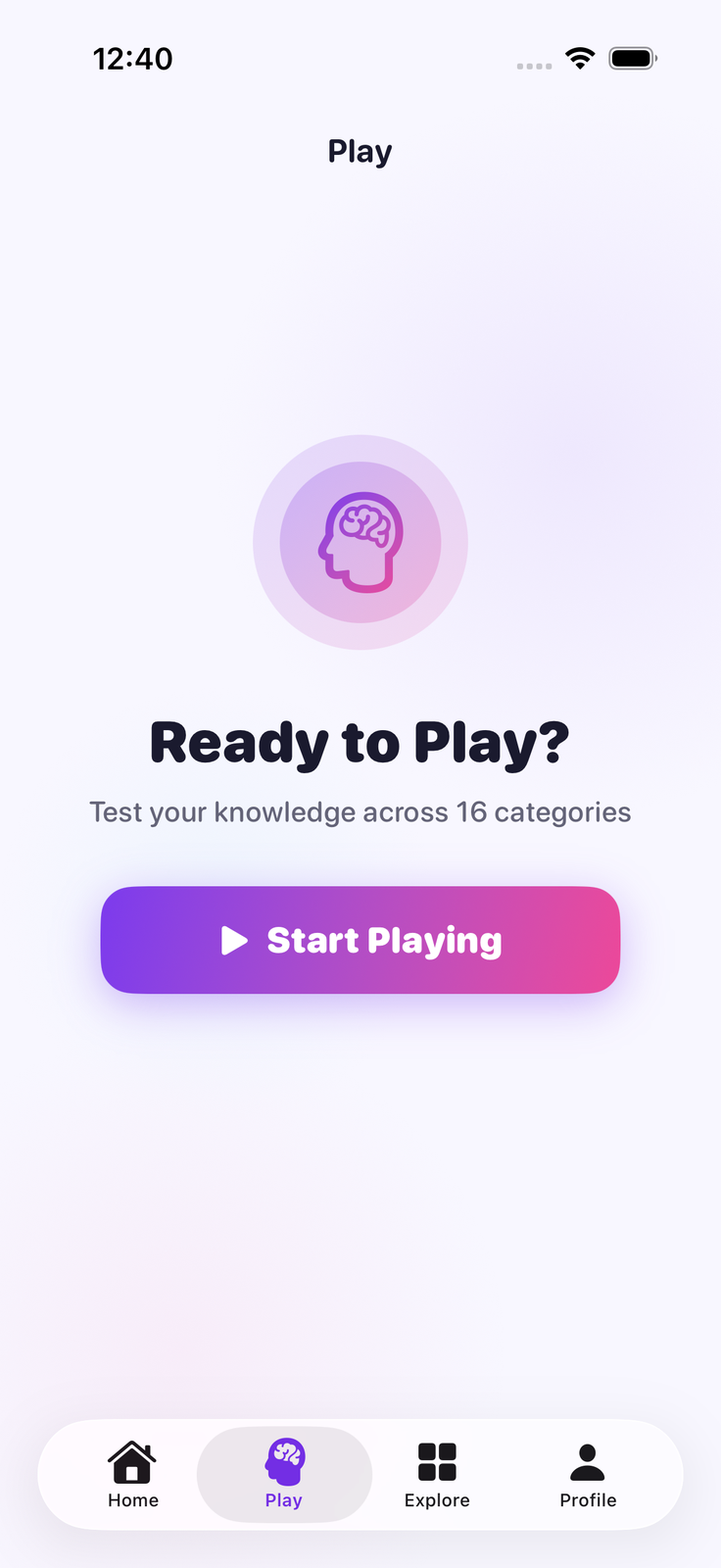
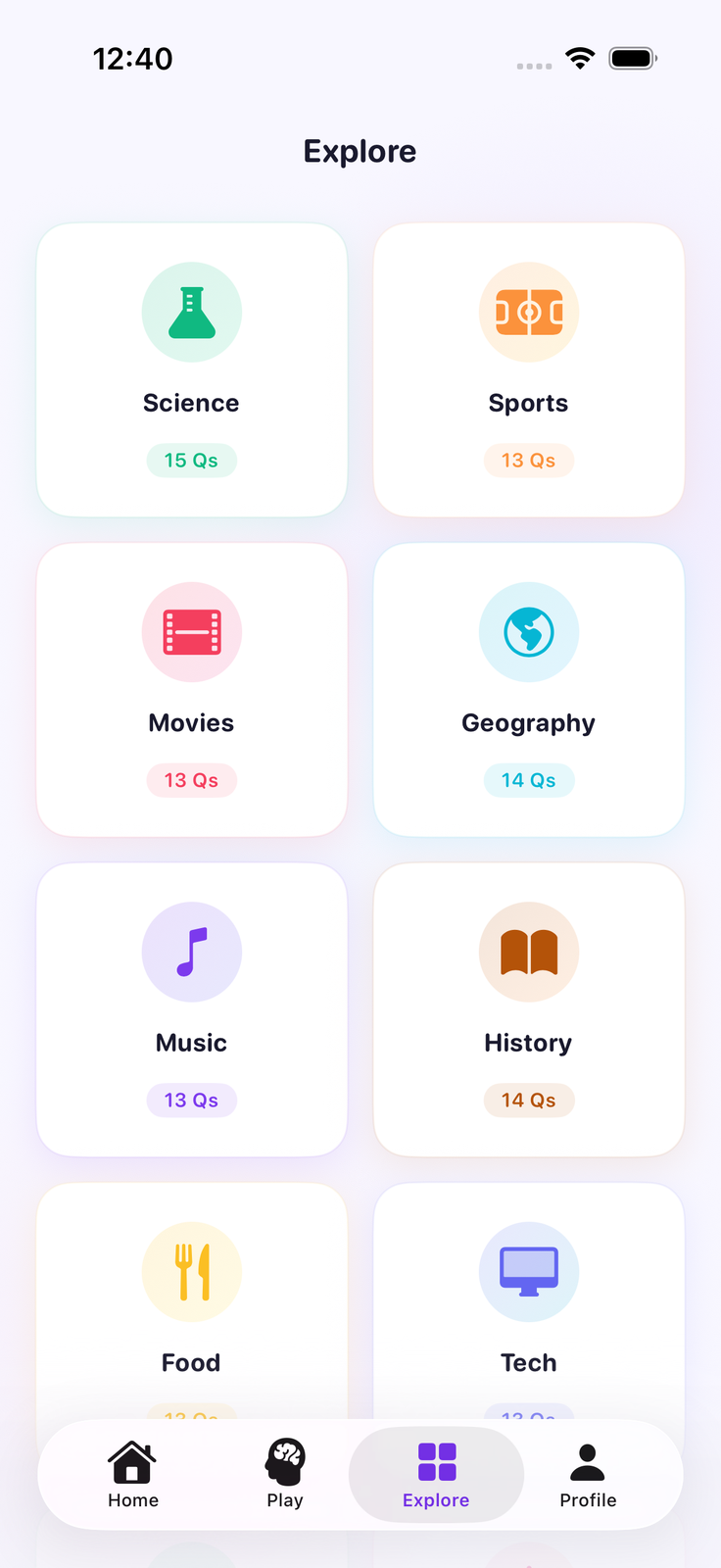
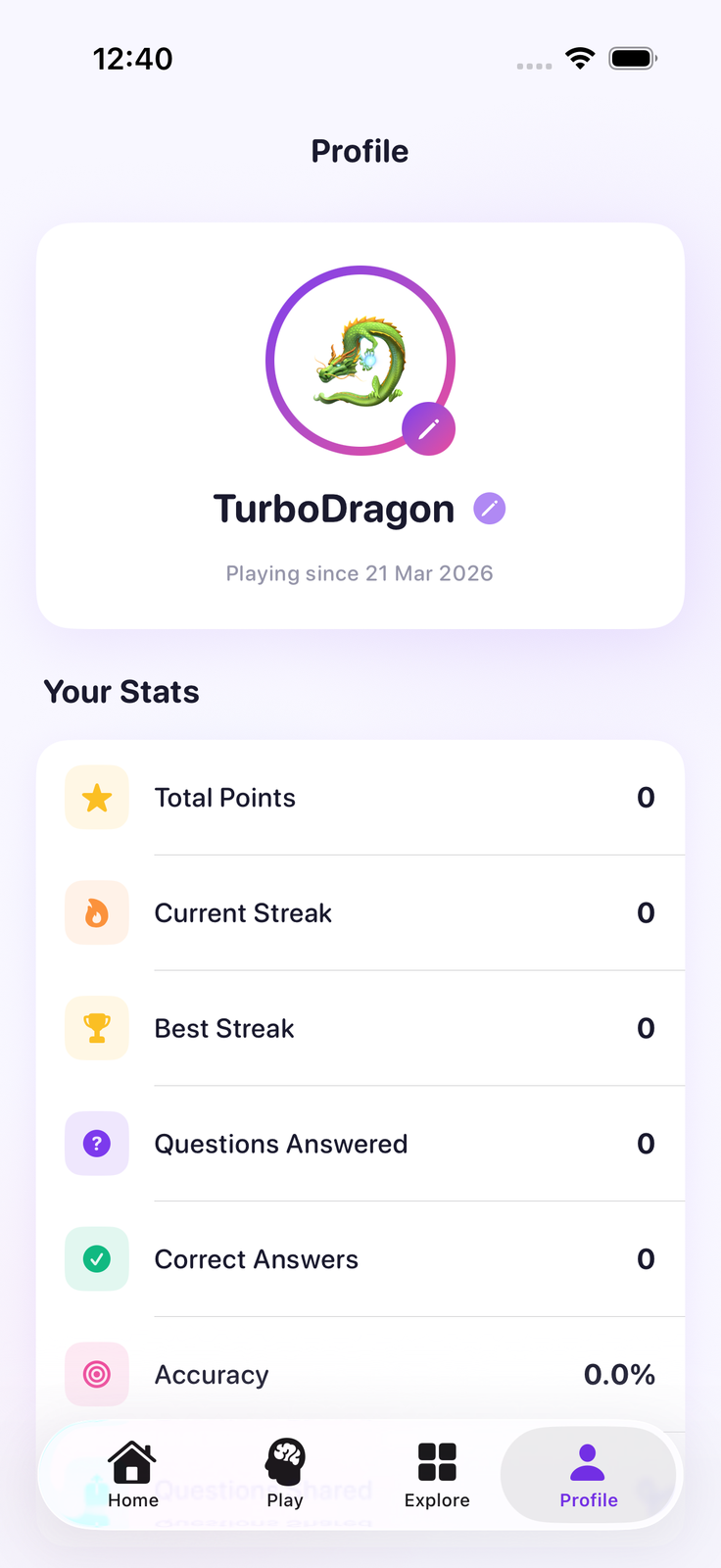
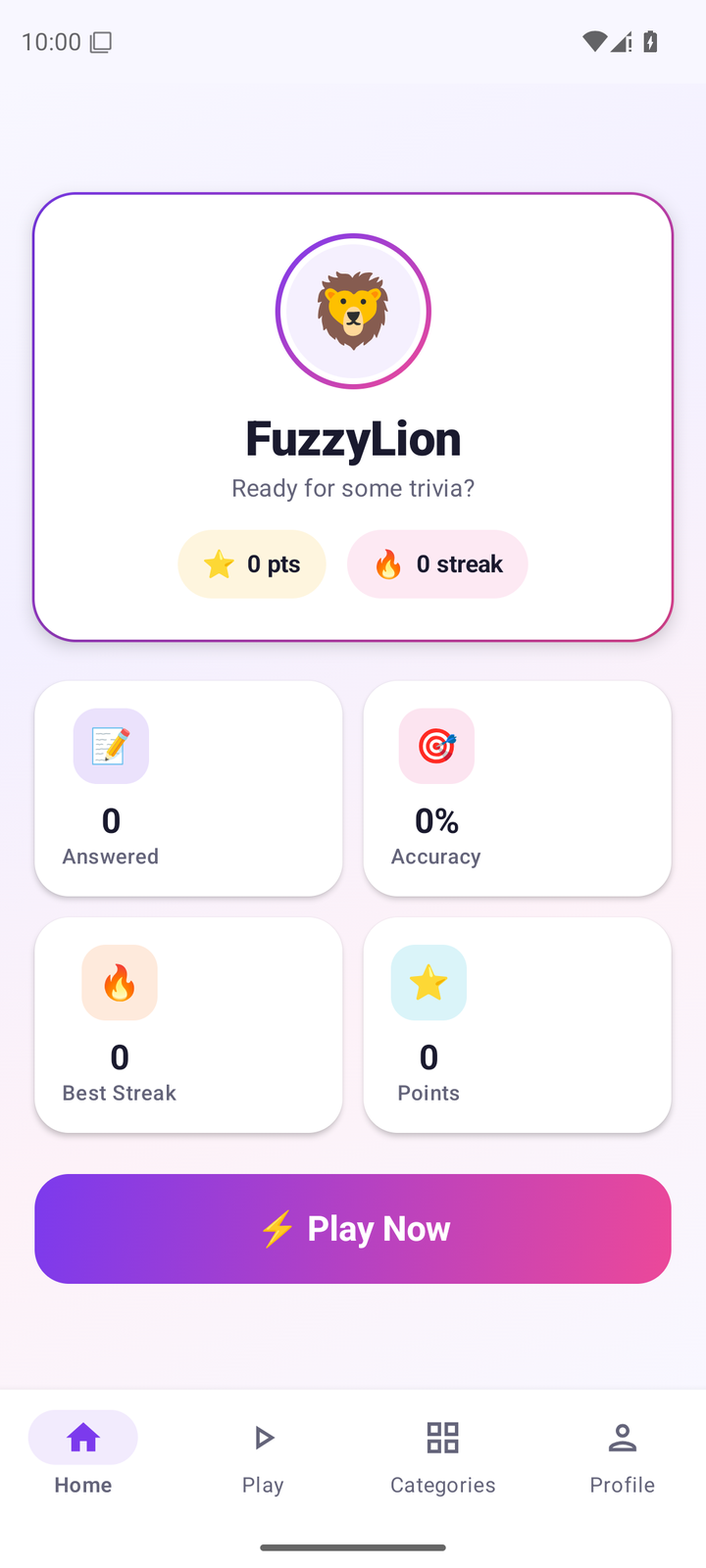
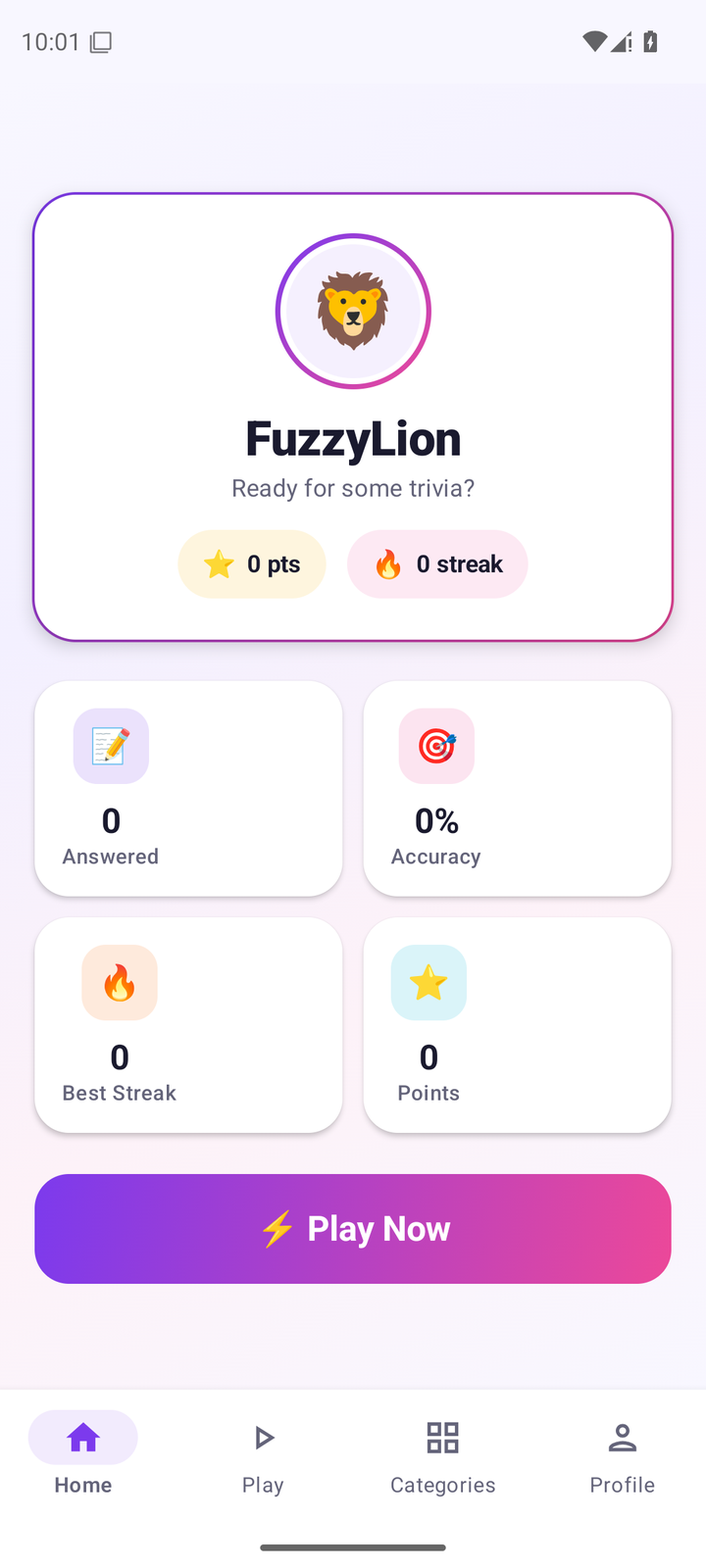
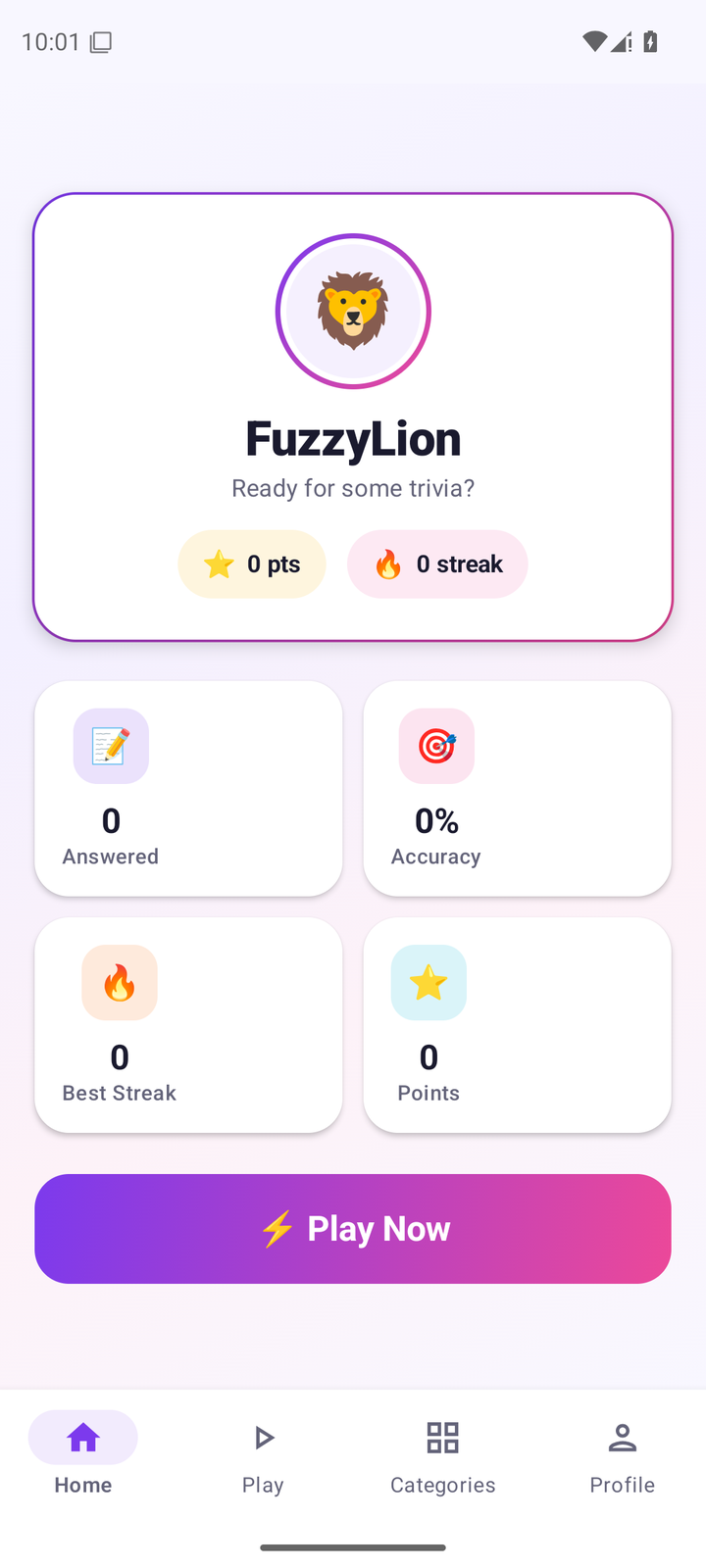
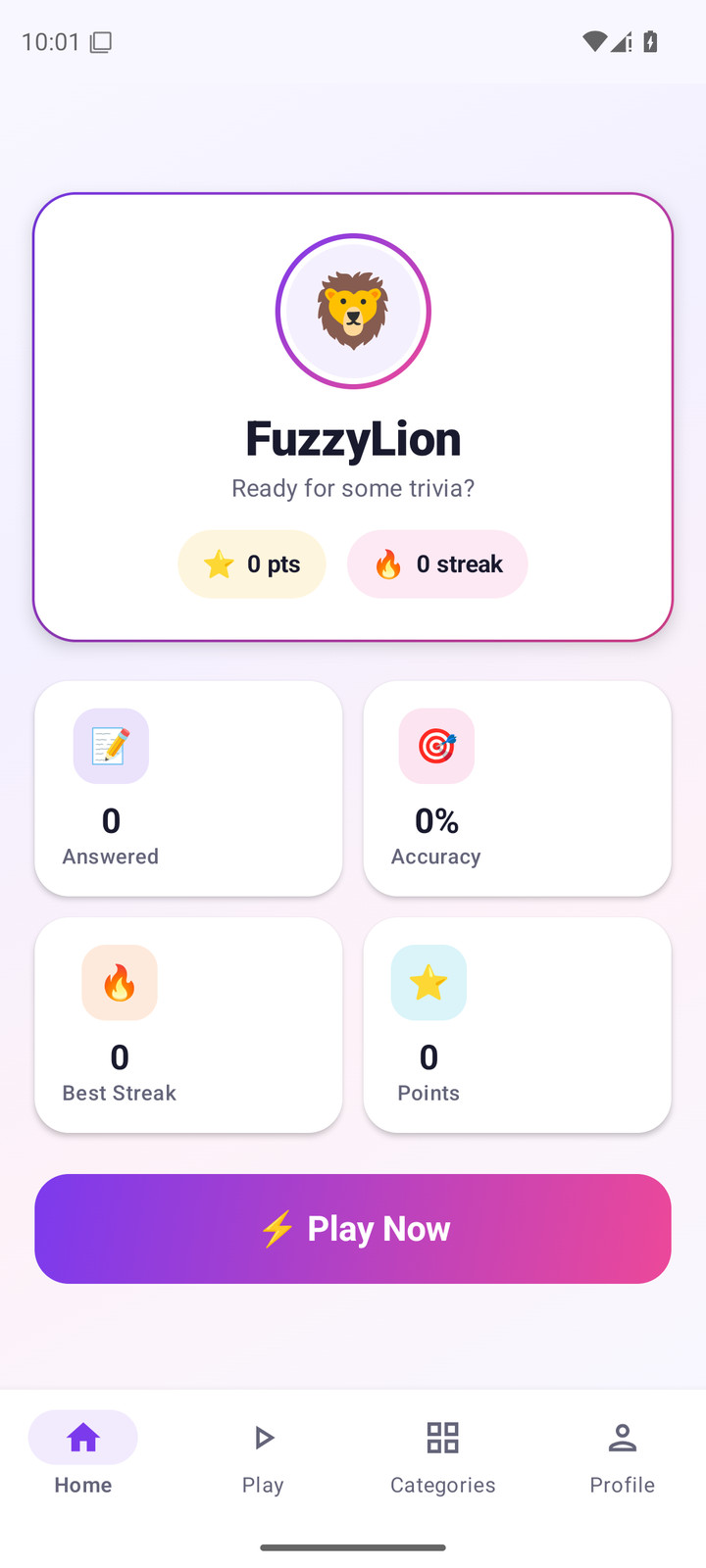
Both platforms share the same design language — gradient borders, colored stat cards, emoji avatars, and playful animations.

iOS (iPhone 17 Pro)
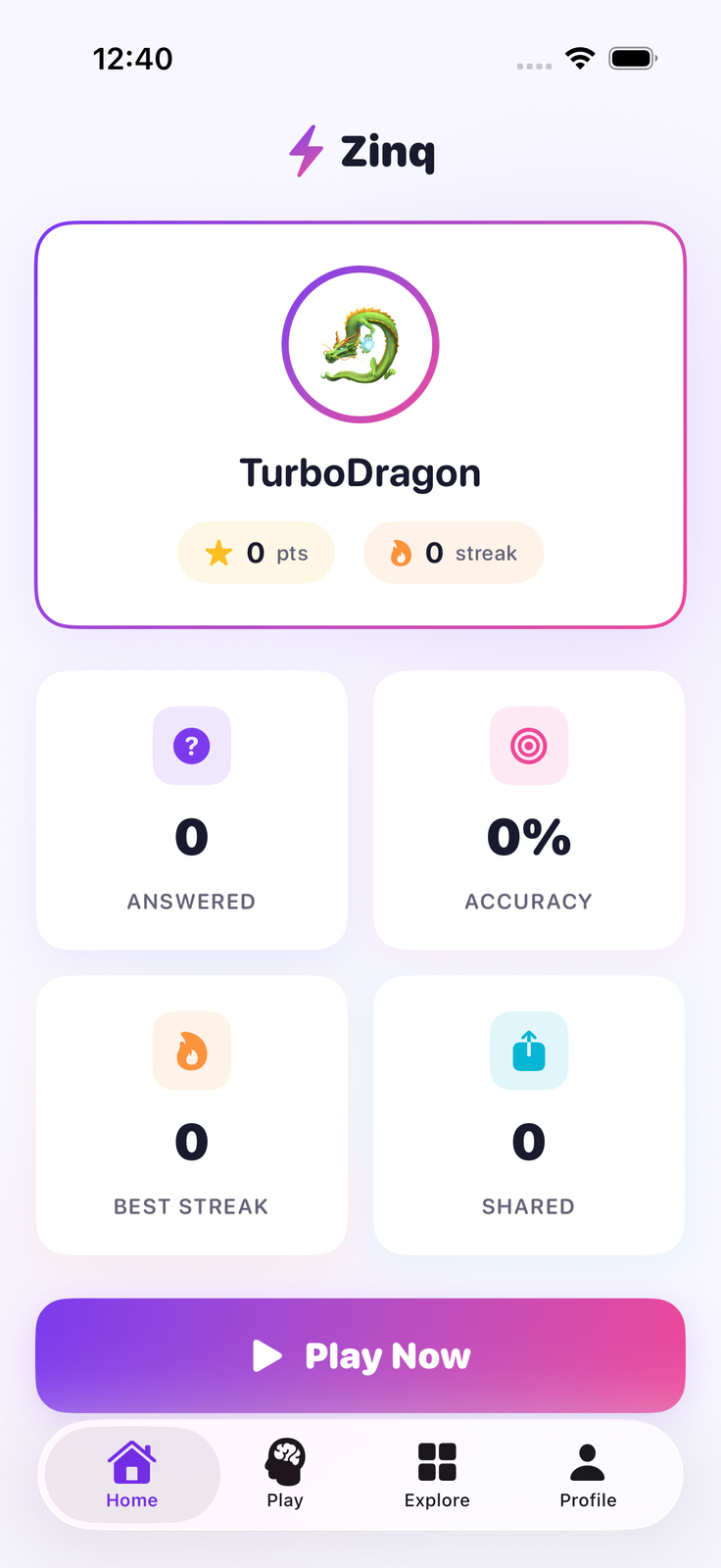
Zinq iOS app — home screen showing trivia question feed

Home

Zinq iOS app — trivia question play screen with answer options

Play

Zinq iOS app — explore screen browsing question categories

Explore

Zinq iOS app — player profile showing streak and score history

Profile

Android (Pixel)

Zinq Android app — home screen showing trivia question feed

Home

Zinq Android app — trivia question play screen with answer options

Play

Zinq Android app — explore screen browsing question categories

Categories

Zinq Android app — player profile showing streak and score history

Profile

09 — Downloads

Download Assets

Brand assets for press, partners, and third-party use. All assets are available in the formats below. Coming soon.

SOON
🎨
Logo SVG Pack
Light, dark, gradient — all variants in scalable SVG + PNG @2x
Download
SOON
🎨
Color Palette
Figma, Sketch, ASE, and CSS variables file with all brand colors
Download
SOON
📱
App Icon Set
All required iOS and Android sizes, plus the 1024px master
Download
SOON
✏️
Figma UI Kit
All UI components, question cards, badges, and screen templates
Download
SOON
📸
Press Kit
Hi-res screenshots, app store art, and press release template
Download
SOON
🎬
Motion Templates
After Effects and Lottie files for animations used in the app
Download
📬

Need assets now?

Drop us a line and we'll send what you need directly.

brand@zinq.fyi ⚡
Copied!